建立練習專案
- 使用課程part2第一個章節內練習建立的專案
- 安裝Mock.js
npm install mockjs
- 安裝axios
npm install axios
- 將以下連結內的所有資料夾複製到專案的
src資料夾內 - 安裝套件moment、js-xlsx、script-loader、file-saver
npm install moment xlsx script-loader file-saver
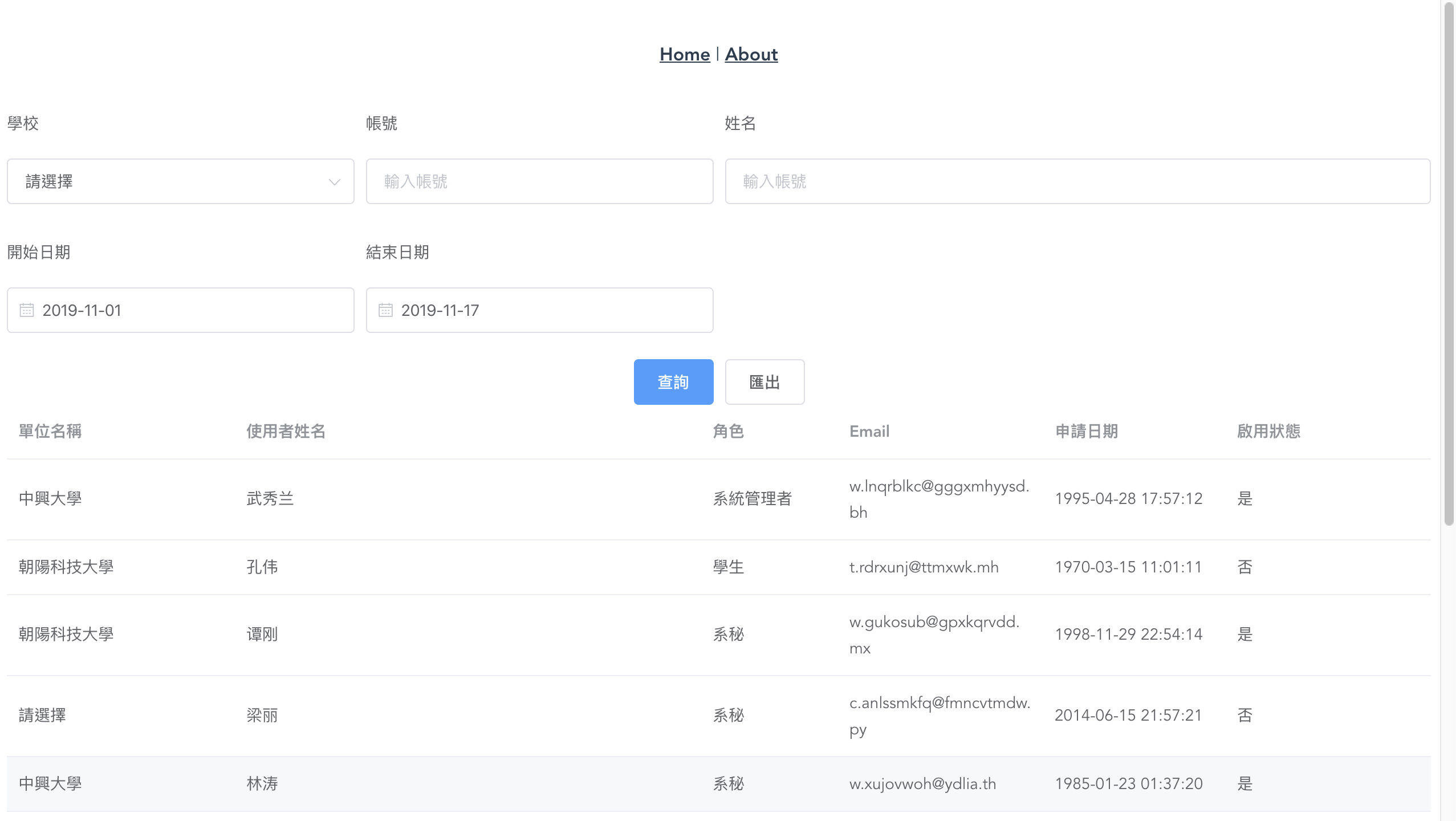
練習製作查詢頁面
-
查詢選單:
- 學校(下拉選單。開啟頁面時使用
api/index.js裡的函式schoolGet取得學校選單資料) - 帳號(文字輸入框)
- 姓名(文字輸入框)
- 開始日期(datetime-picker)
- 結束日期(datetime-picker)
- 學校(下拉選單。開啟頁面時使用
-
製作查詢按鈕,查詢函式為
api/index.js裡的函式userGet -
查詢資料時,使用
router.push將參數放入query,並使用watch監聽route.query來取得查詢參數 -
開啟頁面時使用預設查詢本月資料
-
使用element-ui的table來呈現查詢列表,使用pagger來製作分頁
-
data/searchRecordFormat.js的資料為資料列表所需的欄位資訊 -
Table上使用
v-loading屬性來呈現loading圖示
練習製作匯出功能
使用以下函式來製作功能:
exportExcel () {
  import('@/vendor/Export2Excel.js').then(excel => {
    if (!this.tableData.length) {
      return
    }
    const data = this.tableData.map(d => {
      return this.searchRecordFormat.map(f => d[f.index] || '')
    })
    const header = this.searchRecordFormat.map(f => f.title)
    const dateString = moment().format('YYYY-MM-DD')
     excel.export_json_to_excel({
      header, // 表頭
      data, // 資料
      filename: `document_${dateString}`, // 非必填
      autoWidth: true, // 非必填
      bookType: 'xlsx' // 非必填
    })
  })
}
完成範例